
Best Gaming PC Builds 2026: Every Budget Guide
Discover the top gaming PC builds for 2026 across all budgets. From $800 budget rigs to $5000 beasts, find your perfect gaming setup.

Super Admin
· 12 min read · 138 views
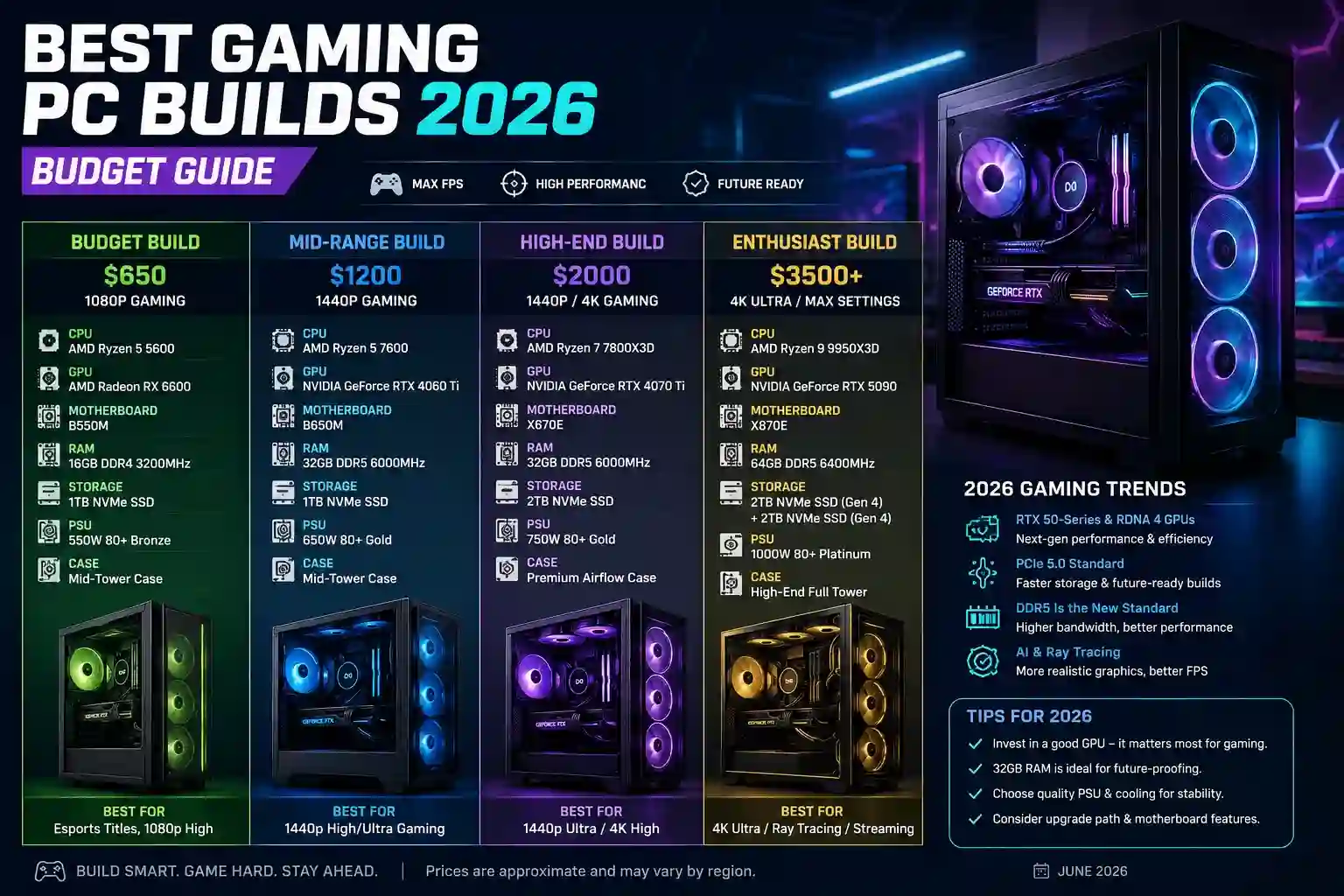
Looking to build a gaming PC in 2026? You've come to the right place. The PC gaming landscape keeps evolving. New processors hit the market. Graphics cards get more powerful. Prices keep changing. It's a lot to keep up with.
Don't worry. This guide covers everything you need to know. Every recommendation is checked against published benchmark data and our own compatibility tools, and every part listed is one you can actually buy. Our goal? Help you build the perfect gaming PC for your needs and wallet.
Introduction: Finding Your Perfect Gaming PC in 2026
2026 is a fantastic time to build a gaming PC. Component prices have stabilized. New technologies offer better performance than ever. The latest games look amazing at high resolutions. But with so many options, choosing the right parts can feel overwhelming.
That's where we come in. This guide breaks down the best gaming PC builds across every budget. From entry-level rigs under $1000 to high-end beasts pushing $5000. We'll help you match your needs with the right components. No more guesswork. Just clear recommendations you can check yourself with our calculators.
The PC building landscape in 2026 has some key trends. DDR5 memory is now standard for most builds. PCIe 5.0 storage finally delivers on its speed promises. Both AMD and Intel have exciting new processors. NVIDIA's RTX 50-series GPUs bring ray tracing to even budget builds. Understanding these trends helps you make smarter choices.
Our builds focus on three things: performance today, value for money, and upgrade potential for tomorrow. We don't just recommend the most expensive parts. We find the sweet spot where performance meets price. A PC that plays today's games well without breaking the bank.
How to Choose the Right Gaming PC Build for Your Needs
Before we dive into specific builds, let's talk about how to choose the right one for you. The best gaming PC depends on three main factors: what games you play, what resolution you target, and how much you want to spend.
Identifying Your Gaming Resolution and Target Frame Rates
What's your monitor? This question matters more than anything else. A 1080p monitor needs different parts than a 4K display. Most gamers fall into one of these categories:
- 1080p gaming (1920×1080): Good for budget builds. 60 FPS is the baseline. Esports titles can hit 144+ FPS.
- 1440p gaming (2560×1440): The sweet spot for most gamers. 60-144 FPS is achievable with mid-range builds.
- 4K gaming (3840×2160): Needs high-end components. 60 FPS requires top-tier parts. 120+ FPS is challenging.
Matching Your Budget to Performance Expectations
How much should you spend? It depends on your expectations. Here's a rough guide:
- Under $1000: 1080p gaming at 60 FPS. Good for esports and less demanding titles.
- $1000-$2000: 1440p gaming at 60-144 FPS. Handles most games well.
- $2000-$3500: 4K gaming at 60 FPS or 1440p at high refresh rates. Future-proof for most users.
- $3500+: 4K at 120+ FPS or 1440p extreme performance. Enthusiast territory.
Understanding Component Compatibility in 2026
Compatibility matters more than ever in 2026. New standards have emerged. DDR5 memory is now standard for most builds. PCIe 5.0 offers faster storage but isn't essential for gaming. AM5 motherboards support AMD's latest CPUs. Intel has moved to LGA1851 for Core Ultra 200S, while LGA1700 still covers 12th to 14th Gen.
Always check compatibility before buying. Our CPU, motherboard and RAM compatibility checkers will confirm the parts work together before you order. Pay attention to:
- Motherboard socket compatibility (Intel LGA1851 or LGA1700, AMD AM5)
- RAM type and speed (DDR4 vs DDR5)
- Power supply connectors (PCIe 5.0 vs 8-pin)
- Case size and clearance (larger GPUs need bigger cases)
Balancing New vs. Refurbished Components for Value
New components offer warranties and latest features. Refurbished parts can save money. For budget builds, consider refurbished GPUs or CPUs from reputable sellers. For high-end builds, new parts often make more sense due to warranty coverage.
Storage is one area where refurbished drives can work well. SSDs have no moving parts. A refurbished Samsung 980 Pro can perform just like a new one. Just buy from sellers with good return policies.
Start from your own numbers: build a parts list around your budget, check the frame rates a build will reach and see what your target resolution demands.
Essential Components for Any Gaming PC Build
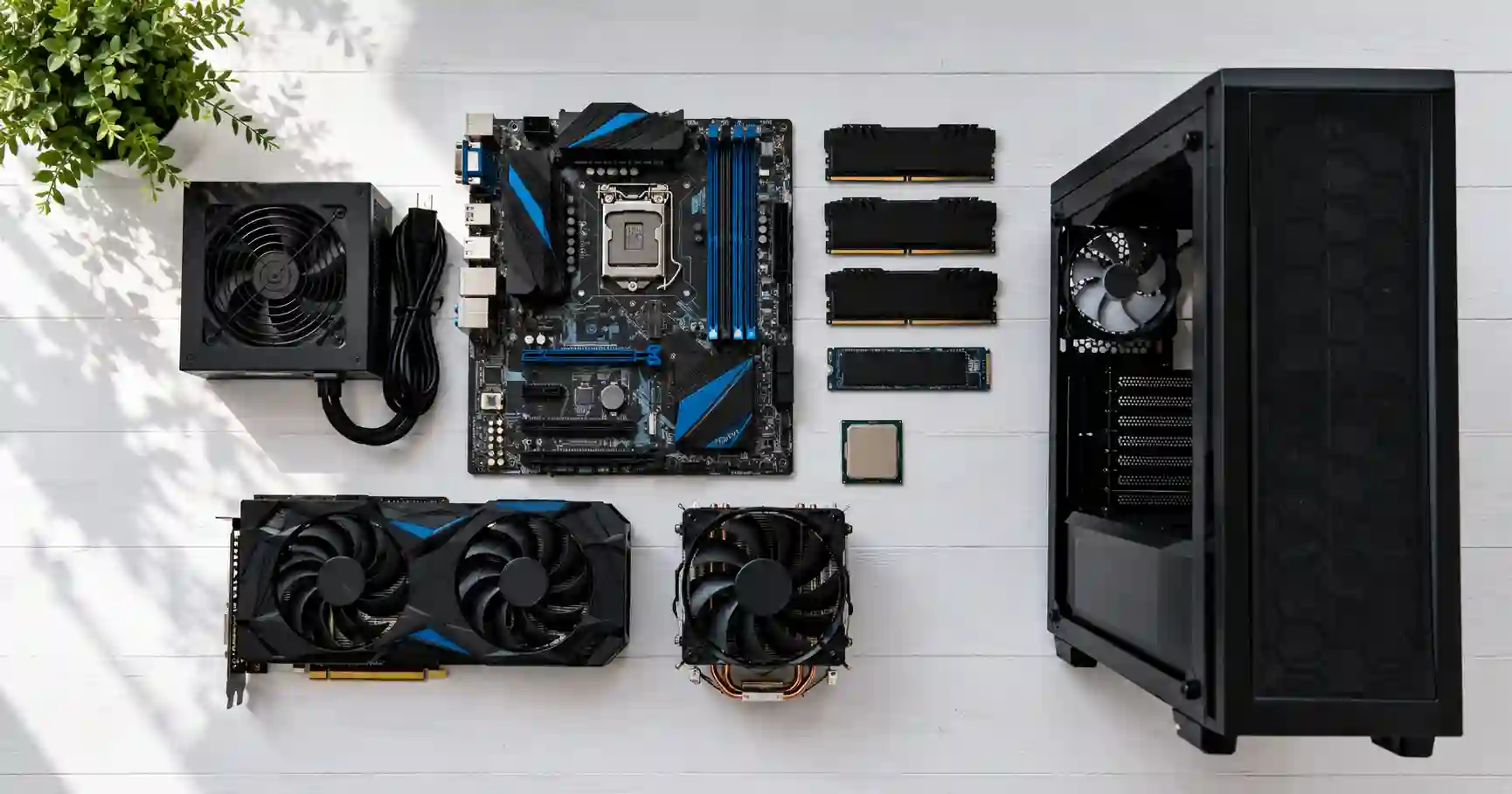
Every gaming PC needs core components. Let's break down what matters in 2026.
CPU Options: AMD Ryzen 9000 vs Intel Core Ultra 200S
The CPU market in 2026 offers great choices. AMD's Ryzen 9000 series competes well with Intel's Core Ultra 200S processors. Both have improved efficiency and performance.
For gaming specifically:
- Mid-range: Intel Core i5-14600K or AMD Ryzen 5 7600
- High-end: Intel Core Ultra 7 265K or AMD Ryzen 7 9800X3D
- Enthusiast: Intel Core Ultra 9 285K or AMD Ryzen 9 9950X
GPU Landscape: NVIDIA RTX 50-series vs AMD RDNA 4
Graphics cards have evolved significantly. NVIDIA's RTX 5080 and RTX 5090 lead the pack. AMD's RDNA 4 architecture closes the gap, especially at 1440p resolution.
For different budgets:
- Budget: RTX 5060 or Intel Arc B580
- Mid-range: RTX 5060 Ti 16GB or RX 9060 XT 16GB
- High-end: RTX 5070 Ti or RX 9070 XT
- Enthusiast: RTX 5080 or RTX 5090
Memory Considerations: DDR5 Adoption and Speeds
DDR5 is now standard for most builds. In 2026, DDR5-6000 is the sweet spot for AMD. Intel benefits from faster DDR5-7200 or higher. For most users, 16GB is sufficient. 32GB helps with future-proofing and heavy multitasking.
Here's what to consider:
- AMD AM5 platforms: DDR5-6000 CL30 is ideal
- Intel LGA1851 and LGA1700: DDR5-6400 to DDR5-7200 CL32
- Capacity: 16GB minimum, 32GB recommended for future-proofing
Storage: PCIe 5.0 SSDs and Capacity Planning
Storage has never been faster or cheaper. PCIe 5.0 SSDs offer incredible speeds but aren't essential for gaming. A good PCIe 4.0 SSD provides excellent performance at lower cost.
For most builds:
- Boot drive: 1TB NVMe SSD (PCIe 4.0 is fine)
- Additional storage: 2-4TB HDD for games and files
- High-end builds: 2TB PCIe 5.0 SSD for maximum speed
Check the parts fit together: test the CPU and GPU are balanced, size the power supply, confirm the memory works with your board and work out how much storage you need.
Comments
No comments yet. Start the conversation.