How Much VRAM Do You Need to Run a Local LLM?
A language model that does not fit in your graphics card does not run slowly. It usually does not run at all. Here is the arithmetic.

Super Admin
· 5 min read · 53 views
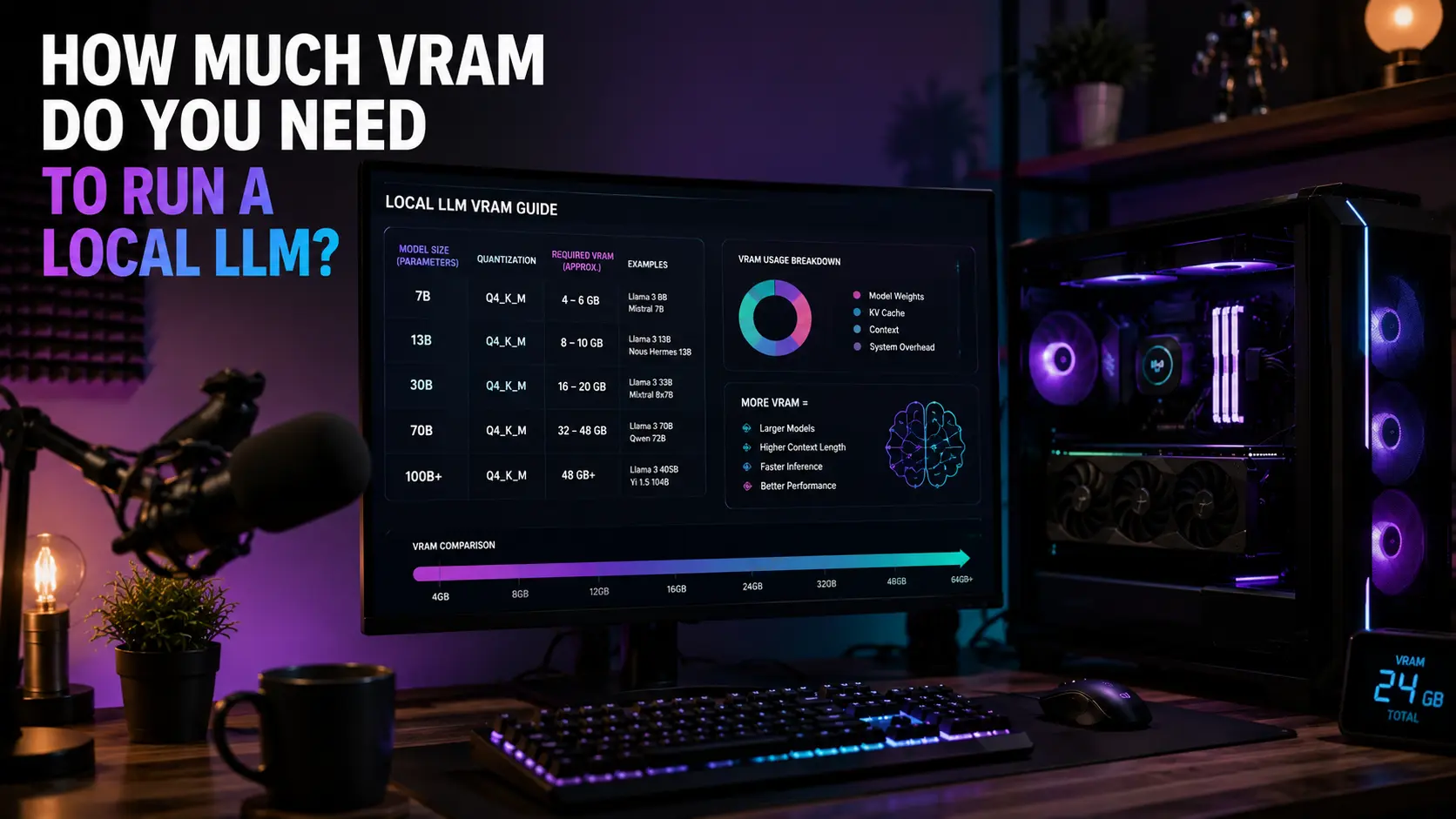
Running a language model on your own computer has one hard limit, and it is not speed. It is VRAM — the memory built into your graphics card.
If a model fits in VRAM, it runs fast. If it does not fit, it either crawls along using your system memory or refuses to load. There is very little middle ground, which makes this one of the easier hardware questions to answer properly.
The arithmetic is simple
A model is a pile of numbers called parameters. A "7B" model has 7 billion of them. Each parameter takes up space, and how much space depends on the precision you run it at.
- fp16 — 2 bytes per parameter. Full quality, biggest.
- int8 — 1 byte per parameter. Half the size, very close quality.
- int4 — half a byte per parameter. A quarter of the size, some quality lost.
Shrinking a model this way is called quantisation. It is the single most useful thing to understand here, because it changes what your card can run by a factor of four.
The formula, which is what our AI workstation calculator uses:
VRAM needed = parameters (billions) × bytes per parameter × 1.2
That 1.2 is a 20% allowance. The model itself is not the only thing in memory — your conversation history and the working data need room too. Skip that allowance and you will get a model that loads and then crashes partway through a long reply.
What each model actually needs
| Model | fp16 | int8 | int4 |
|---|---|---|---|
| Llama 3.2 3B | 7.2 GB | 3.6 GB | 1.8 GB |
| Mistral 7B | 16.8 GB | 8.4 GB | 4.2 GB |
| Llama 3.1 8B | 19.2 GB | 9.6 GB | 4.8 GB |
| Gemma 2 13B | 31.2 GB | 15.6 GB | 7.8 GB |
| Mixtral 8x7B (47B) | 112.8 GB | 56.4 GB | 28.2 GB |
| Llama 3.3 70B | 168 GB | 84 GB | 42 GB |
Look at the 8B row. At full precision it needs 19.2 GB, which rules out almost every consumer graphics card. At int4 it needs 4.8 GB and runs on a card you can buy for a few hundred. Same model.
What your card can handle
Turning it around — here is the largest model each card size can hold.
| Card VRAM | Example cards | Largest at int4 | Largest at int8 | Largest at fp16 |
|---|---|---|---|---|
| 8 GB | RTX 5060 | 13B | 6B | 3B |
| 12 GB | RTX 5070 | 20B | 10B | 5B |
| 16 GB | RTX 5070 Ti, RX 9070 XT, RTX 5080 | 26B | 13B | 6B |
| 24 GB | previous-generation workstation cards | 40B | 20B | 10B |
| 32 GB | RTX 5090 | 53B | 26B | 13B |
The practical reading: 16 GB is the sweet spot. It runs any of the popular 7B to 13B models comfortably at int8, and reaches into the 20B range at int4. That covers almost everything people actually use at home.
8 GB works, but only at int4, and you will feel the ceiling quickly.
VRAM matters more than speed
This is the part that surprises people coming from gaming, where a faster card is simply better.
For language models, a slower card with more memory beats a faster card with less. A model that fits runs at full speed. A model that does not fit spills into system memory, and that path is several times slower — not a few percent, several times.
So when choosing between two cards at a similar price, take the memory. Our GPU comparison tool shows VRAM alongside performance so you can see both.
System memory matters too, just less
Two things use your ordinary RAM here:
- Loading. The model is read from disk into RAM before it reaches the graphics card. Too little RAM makes loading slow or impossible.
- Overflow. If part of the model will not fit in VRAM, it can sit in RAM instead. This works. It is just slow.
32 GB is a sensible floor for local models, and 64 GB gives you room to overflow larger ones. Check what your board and processor will take with the RAM compatibility checker.
Do not forget the drive
Models are large files. A 7B model at int4 is roughly 4 GB on disk; a 70B model at int4 is around 40 GB. If you collect a few, you will want space.
An NVMe drive also loads them far faster than a hard drive. Loading happens every time you switch models, so it is not a one-off cost. Work out what you need with the storage calculator.
Which precision should you actually use?
- int4 — start here if you are memory-limited. Quality loss is real but modest, and most people do not notice it in normal use.
- int8 — the best balance. Very close to full quality at half the memory. Use this if it fits.
- fp16 — only when you have memory to spare, or when you are comparing model quality and need a clean baseline.
A useful rule: a larger model at int4 usually beats a smaller model at fp16. A 13B model squeezed down tends to be more capable than a 7B model at full precision, and they take similar space.
Frequently asked questions
Can I run a model without a graphics card?
Yes. Small models run on a processor alone. Expect a few words a second rather than a few dozen. Fine for testing, frustrating for real use.
Can I combine two graphics cards?
Some tools support splitting a model across cards, so 2 × 16 GB can hold something a single 16 GB card cannot. It is slower than one large card and more complicated to set up.
Does AMD work, or do I need NVIDIA?
AMD works. NVIDIA has better software support and more tools target it first, so an AMD card can mean more setup work. If you want the smoothest path, NVIDIA is still it.
Why does my model get slower in a long conversation?
The conversation itself takes memory, and it grows as you talk. That is what the 20% allowance in the formula is for. A long enough conversation can push you past your VRAM and into the slow path.
Is a gaming card fine, or do I need a workstation card?
A gaming card is fine for running models at home. Workstation cards mainly buy you more memory and certified drivers, which matter for professional work, not for this.
The short version
Multiply the model size in billions by 2 for fp16, 1 for int8 or 0.5 for int4, then add 20%. That is your VRAM. Buy memory over speed. 16 GB handles most of what people run at home, 8 GB works at int4, and 32 GB opens up the larger models.
Check your own parts with the AI workstation calculator.