
Do Faster SSDs Load Games Faster?
Moving from a hard drive to an SSD transforms load times. Moving from a fast SSD to a faster one usually does not. Here is why.

Super Admin
· 5 min read · 27 views
Drive marketing is all about sequential read speed. A Gen 5 NVMe drive quotes numbers many times a SATA SSD's, and it is easy to assume load times scale with that figure.
They do not, and the reason is worth understanding before you spend on the wrong upgrade.
The upgrade that genuinely transforms things
Hard drive to any SSD. That one is not close.
A mechanical drive has to physically move a head to reach data. Game loading is mostly many small scattered reads, which is the worst case for that design. An SSD has no moving parts and handles scattered reads without the penalty.
If you are still loading games from a hard drive, this is the most noticeable upgrade available for the money. Our HDD vs SSD comparison covers the difference, and the SSD speed tool estimates load times across drive types.
Why SATA to NVMe is a much smaller step
A SATA SSD tops out around 550 MB/s. A Gen 4 NVMe drive can quote 7,000 MB/s — more than twelve times faster on paper.
Load times do not fall to a twelfth. Often the difference is a second or two, sometimes nothing at all. Three reasons:
- Loading is not one big sequential read. It is thousands of small ones, and small-read performance differs far less between SATA and NVMe than the headline number suggests.
- The processor has work to do. Assets arrive compressed and have to be decompressed, then parsed and uploaded to the graphics card. On many titles that is the actual limit, not the drive.
- Engines were written for slower storage. A lot of loading logic still assumes storage is the bottleneck and paces itself accordingly.
Which is why a Gen 5 drive rarely loads a game meaningfully faster than a good Gen 4 one. You have doubled a number that stopped being the constraint some time ago.
Where fast NVMe does earn its money
Outside gaming, sequential speed is exactly what you want:
- Video editing. Scrubbing high-bitrate 4K footage is genuinely sequential. Covered in our 4K editing guide.
- Large file transfers. Moving a 100 GB project between drives is the workload the headline figure describes.
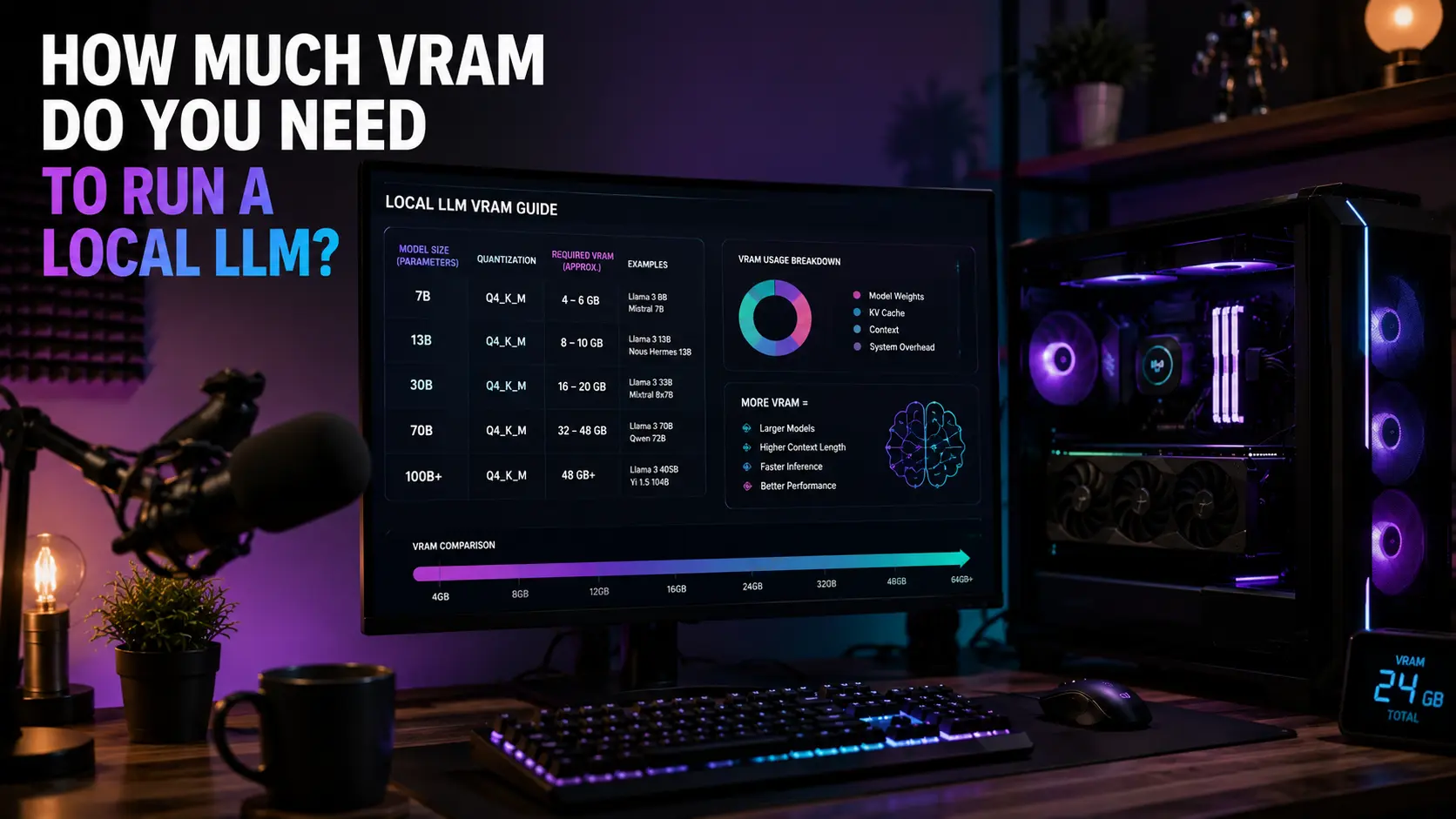
- Loading large AI models. Pulling tens of gigabytes of weights into memory is sequential and benefits directly — see our guide on VRAM for local LLMs.
- Compiling code. Thousands of small reads and writes, where NVMe's much higher operations-per-second matters more than its sequential rate.
DirectStorage: the thing that might change this
DirectStorage lets games move compressed data from the drive to the graphics card with much less processor involvement, and decompress it on the GPU. It removes precisely the bottleneck described above.
Where a game implements it properly, fast NVMe drives do pull ahead. The catch is adoption: it has to be built into the game, and support remains patchy. Something to be aware of rather than to buy for today.
What actually matters when choosing a drive
In rough order of how much difference it makes day to day:
- Capacity. A full drive is slower than an empty one, and modern games are large. Running out of space causes more real annoyance than any speed difference. The storage requirement calculator helps you size it.
- DRAM cache. Cheaper drives omit it and lean on system memory instead. Sustained writes and heavily used drives suffer noticeably.
- Sustained write speed. Most drives are fast until a fast cache fills, then drop sharply. Matters for large transfers, not for gaming.
- Sequential read speed. The number on the box. Last on this list for gaming, for the reasons above.
Do not forget the slot
A Gen 5 drive in a Gen 3 slot runs at Gen 3 speed. Worse, on many boards the second M.2 slot shares lanes with the graphics card slot, so filling it can halve your graphics link. The NVMe compatibility checker shows what your board gives each slot, and our PCIe guide covers the lane-sharing trap.
Where you install games matters more than which drive you buy
A common setup is a small fast NVMe drive for Windows and a larger, slower drive for games. That gets it backwards for the games you play most.
Windows benefits from fast storage mainly at boot, which happens once a day. Games benefit every time they load a level. If your fast drive has room, put the games you play regularly on it and leave the archive on the slower one.
Steam and the other launchers all support multiple library folders and can move an installed game between drives without redownloading it.
Keeping some space free
SSDs slow down as they fill, because the controller has less free space to work with when rearranging data. The effect is mild until roughly 80% full, then becomes noticeable.
Leaving 10 to 20% free is the usual advice, and it costs nothing to follow. If you are regularly near the limit, the fix is a larger drive rather than a faster one — size what you need with the storage requirement calculator.
Lifespan is rarely the thing to worry about
Drives carry a TBW rating — terabytes that can be written over the drive's life. The numbers are far larger than normal use consumes. Gaming is overwhelmingly read activity; installing a large game writes it once and then reads it repeatedly for months.
A typical consumer drive rated for a few hundred TBW will outlast the machine it is in under normal use. Heavy video editing changes that calculation; gaming does not.
Two myths worth retiring
- "Defragment your SSD." Do not. Fragmentation is a mechanical-drive problem, and defragmenting an SSD writes data for no benefit. Windows already handles SSDs correctly by running TRIM instead.
- "External drives are fine for games." Over USB they usually work, but the connection adds latency and many enclosures throttle when warm. Acceptable for storage, not ideal for the games you actually play.
The bottom line
Hard drive to SSD is transformative. SATA to NVMe is a modest improvement in games and a large one in creative work. Gen 4 to Gen 5 changes very little for gaming today, and may change more as DirectStorage adoption grows.
If you are choosing where to spend, capacity and a DRAM cache will do more for you than the number on the front of the box. Compare drive types with the SSD speed comparison.
Comments
No comments yet. Start the conversation.